Focus-Points
Troubleshooting / FAQ
Focus Points Viewer
- No focus points recorded
- Manual focus, no AF points recorded
- Focus point recorded in manual focus mode
- Focus info missing from file
- Focus points outside cropped image area
- Camera model not supported
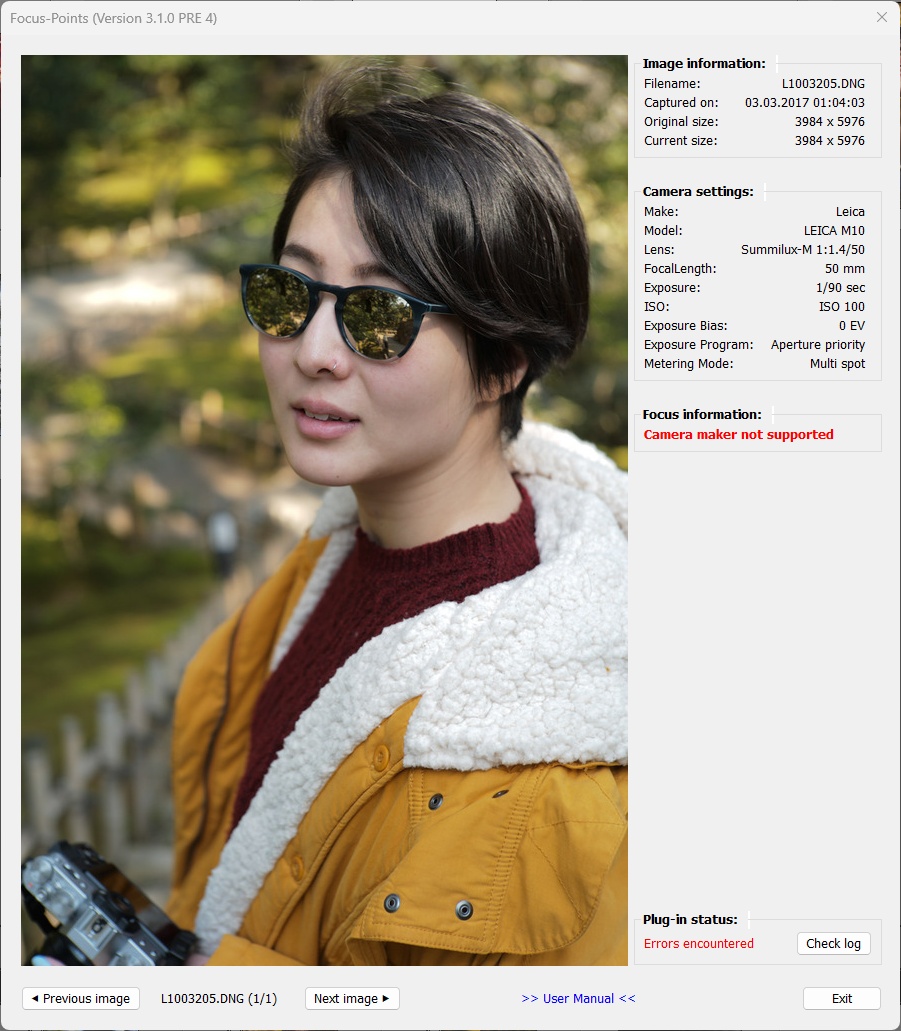
- Camera maker not supported
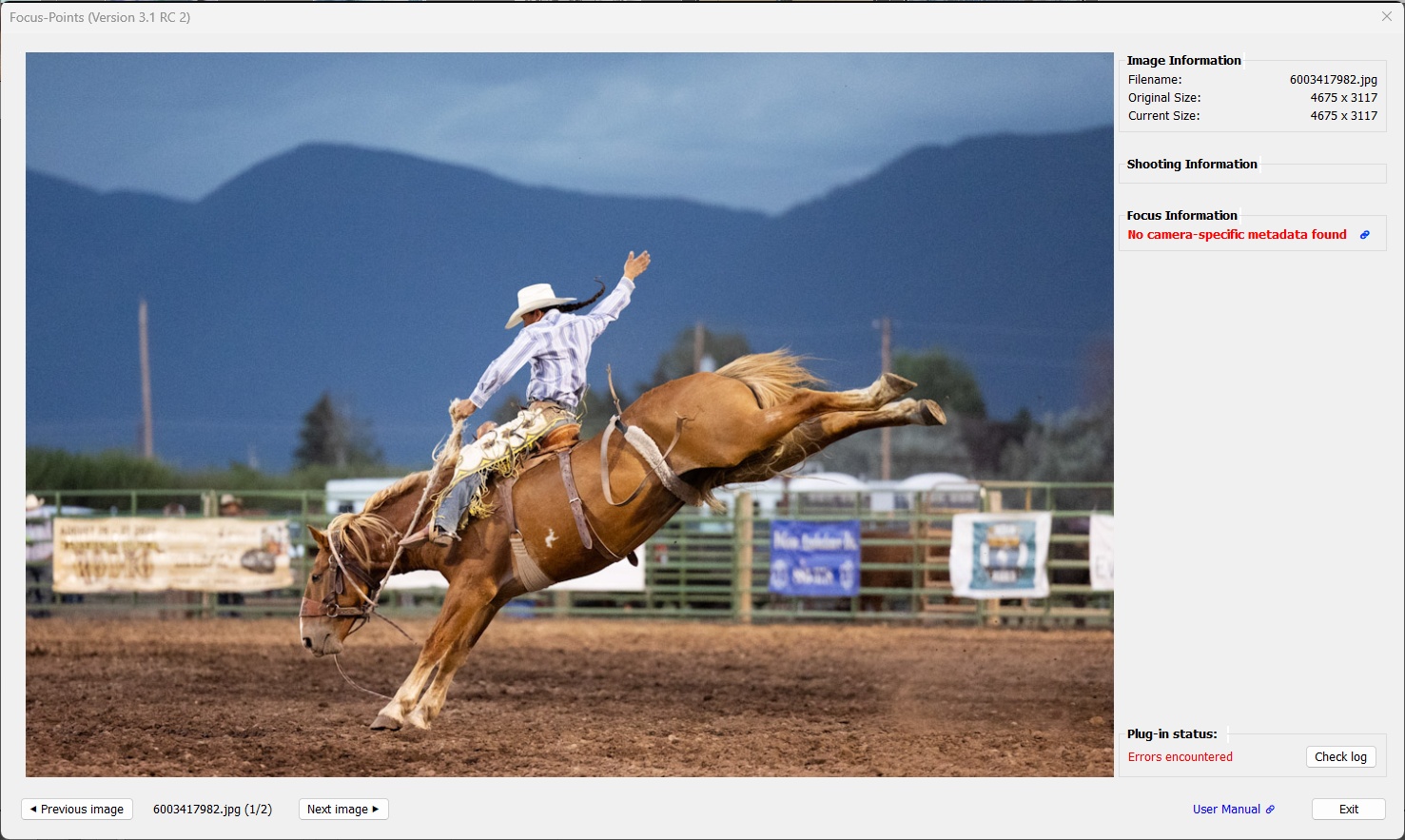
- No camera-specific metadata found
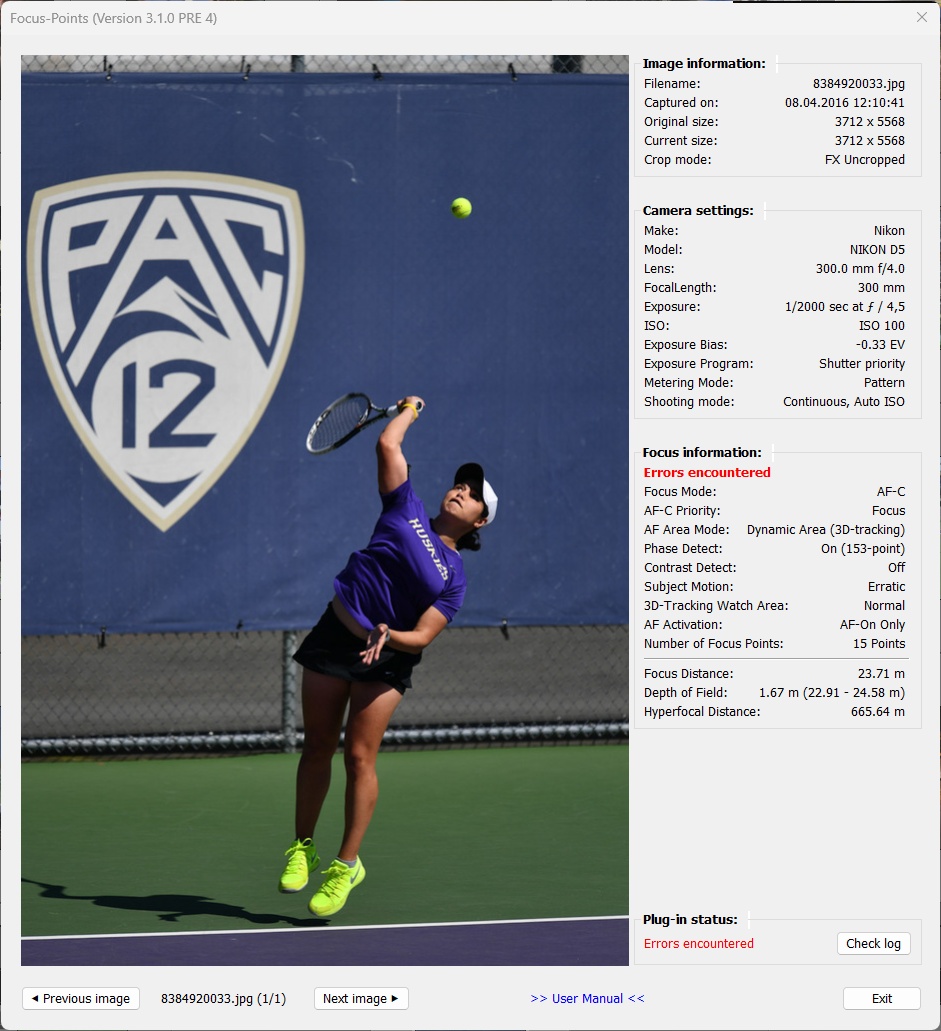
- Severe error encountered
General
Focus Points Viewer
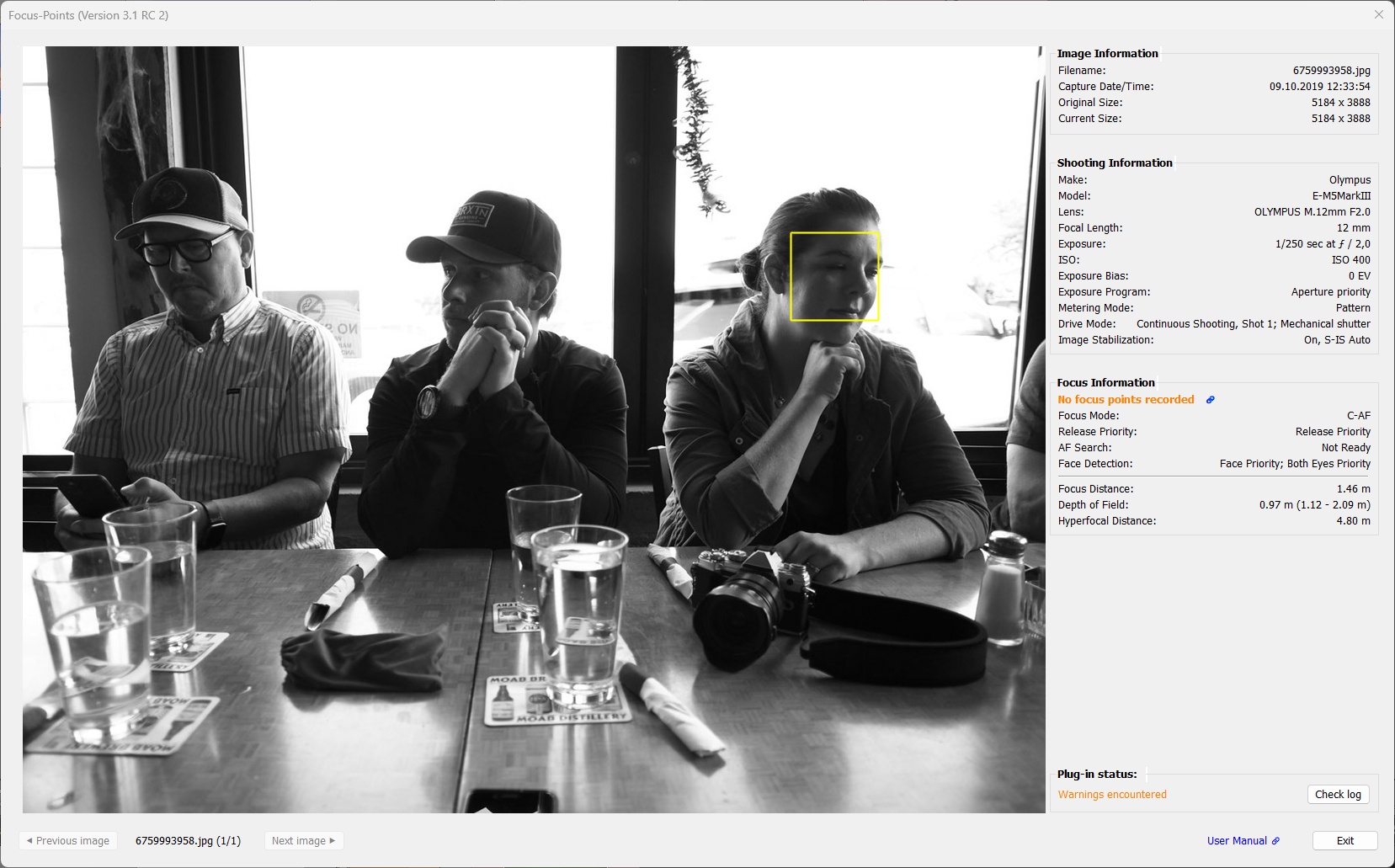
“No focus points recorded”
The camera was set to use autofocus (AF) but did not focus when the image was captured. Information about “in focus” AF points is not available in the metadata; it was not recorded by the camera.
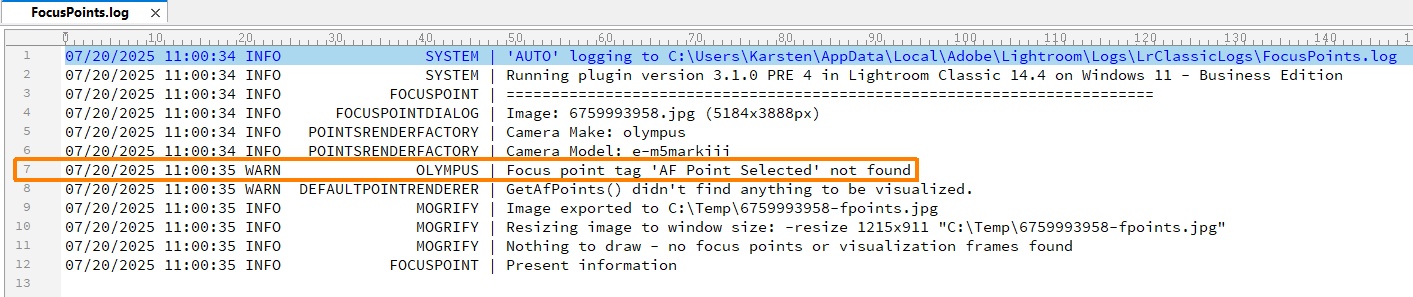
The exact reason for this behavior may depend on the specific camera model and the way the camera manufacturer has designed the AF system to work. Check the log file for details.
A common potential reason for this situation is that the AF system has not completed its task.
Take a look at the example below (Olympus camera). The shot was taken with “Release Priority”, “AF Search” was “not ready”. However, the shot looks sharp. Maybe the AF system just didn’t finish fine-tuning the focus.
Log file:
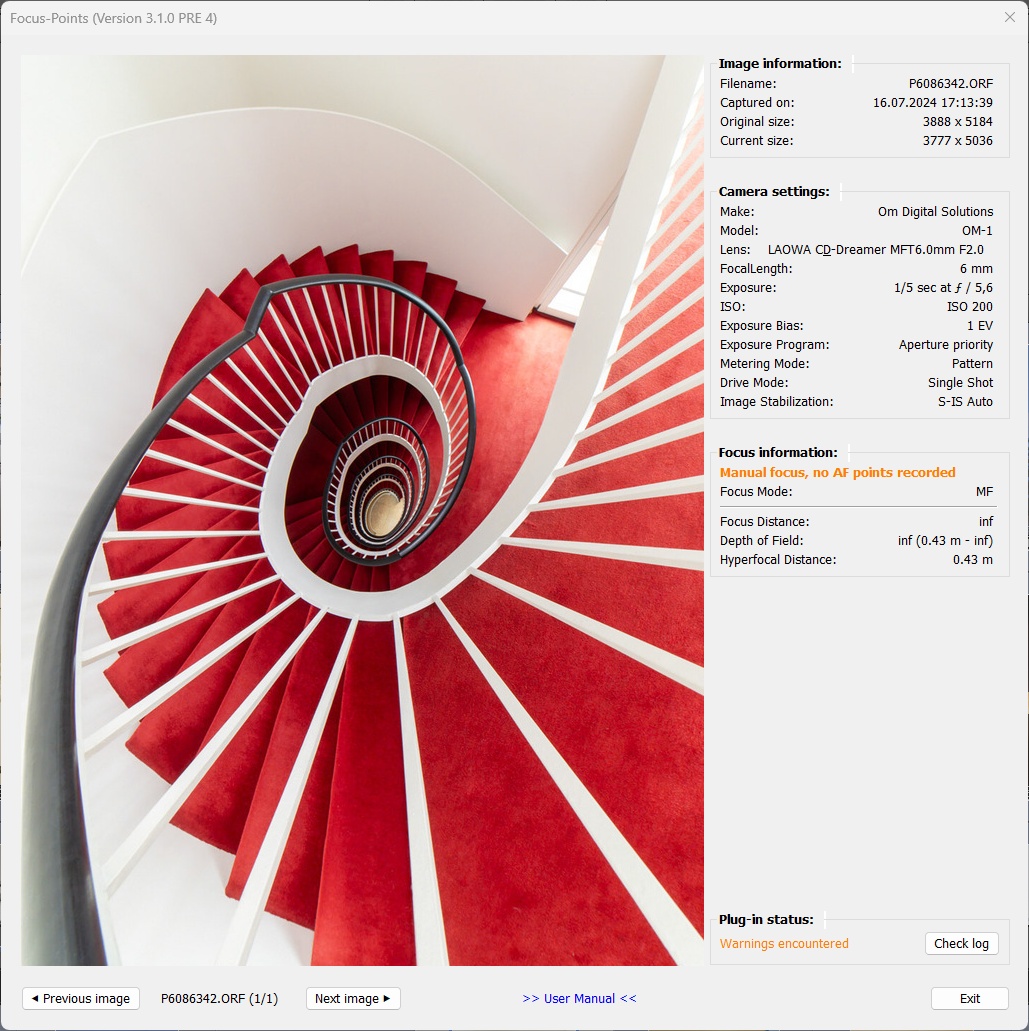
“Manual focus, no AF points recorded”
This is a special but very typical case of “No focus points recorded”. The photo was taken with manual focus (MF), so there is no autofocus (AF) information in the metadata.
“Focus point recorded in manual focus mode”
Fujifilm cameras store focus information when using the manual focus mode (AF-M).
Unlike autofocus-determined focus points, manual focus points do not necessarily indicate the sharpest parts of an image. Instead, they represent the center of the focus area selected by the camera user (single point / zone / wide).
When the photographer uses the selected focus area to focus the image and this area is small (single point), the displayed focus point will probably correspond to a sharp part of the image. Otherwise, the displayed focus point may end up over an unsharp part of the image.
In manual focus mode, you need to recall the circumstances in which the image was captured in order to make sense of the focus point information.
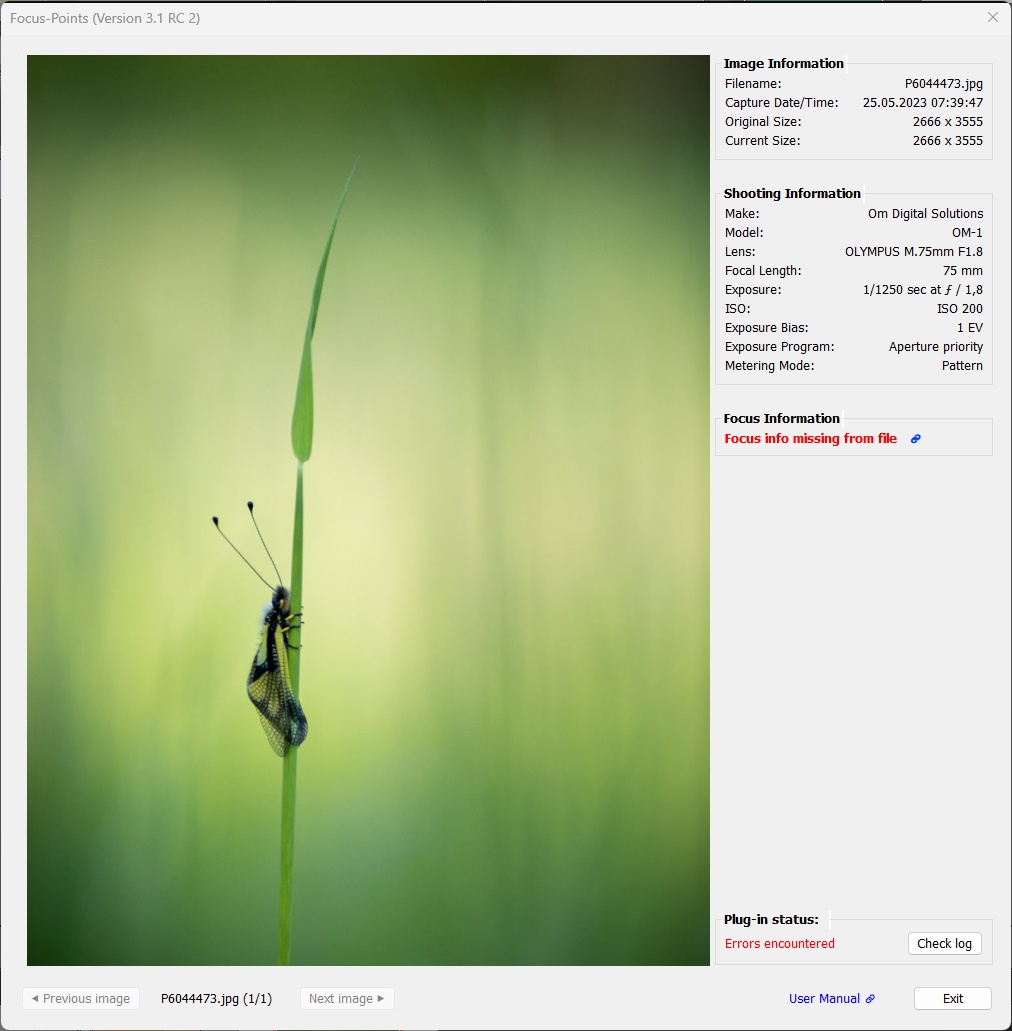
“Focus info missing from file”
The selected photo lacks the metadata needed to process and visualize focus information. This error message typically occurs when you try to view focus points for an image that was processed outside of Lightroom (for example, in Photoshop).
Why is this happening? The plugin requires the metadata of original, out-of-camera JPGs or RAW files in order to work. Focus information, along with many other camera-specific settings, is stored in makernotes, a manufacturer-specific section of the EXIF metadata. Lightroom does not retain or even read makernotes when importing files. Therefore, if a separate file is created from the original image (e.g. by exporting to another application such as Photoshop), this information will not be present in the file and the plugin will not have the necessary inputs to work.
For more details and concrete examples, see Scope and Limitations.
For example, this image was imported into Lightroom as a RAW file and then edited in Photoshop. The re-imported TIFF file is missing the makernotes and focus information, so the plugin does not have the data it needs to work.
The log file reveals whether intact metadata is available or not by indicating which tag has not been found:
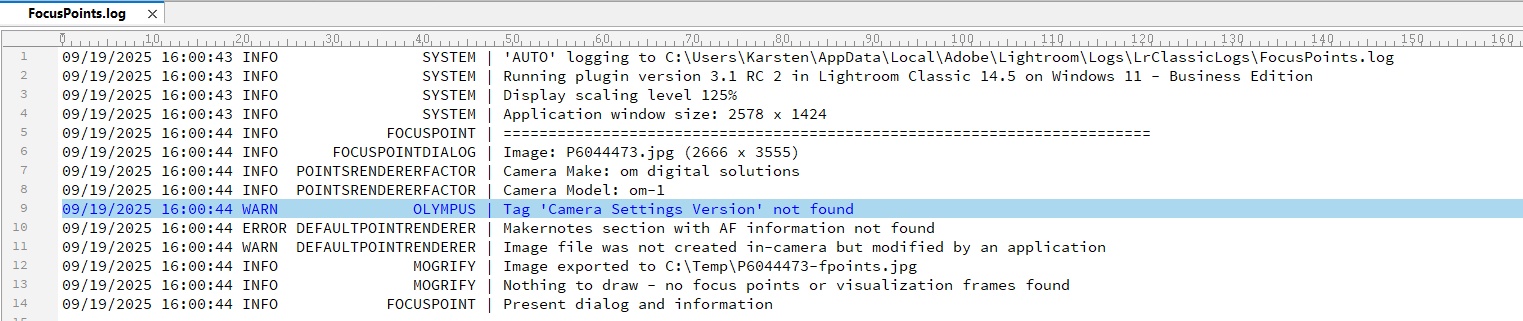
Focus points outside cropped image area
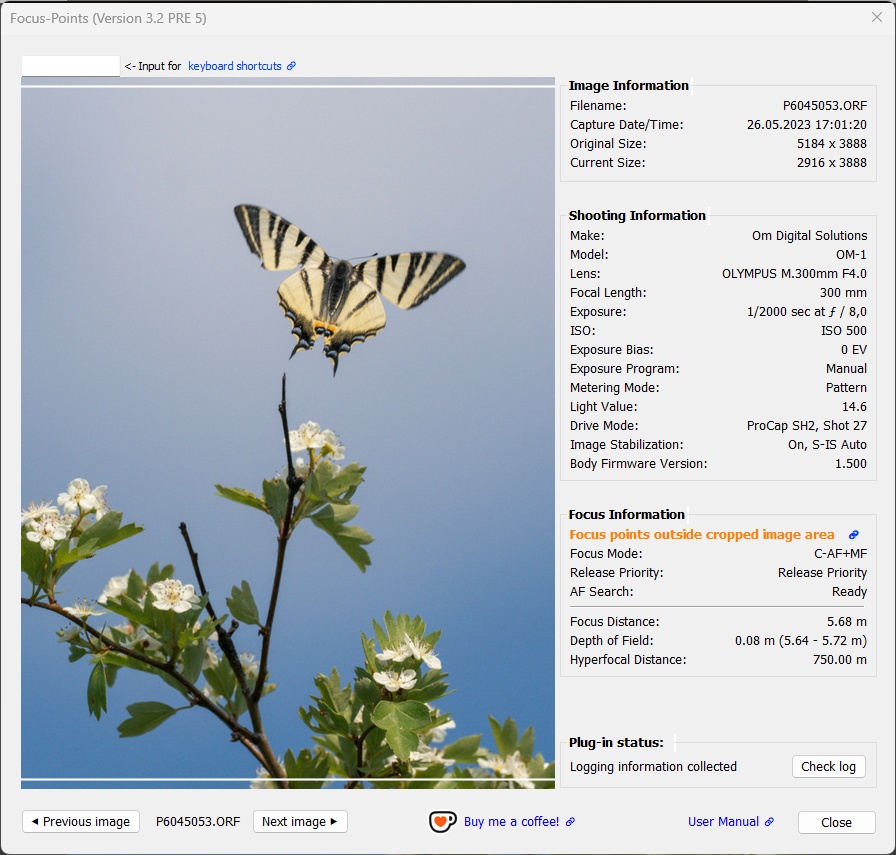
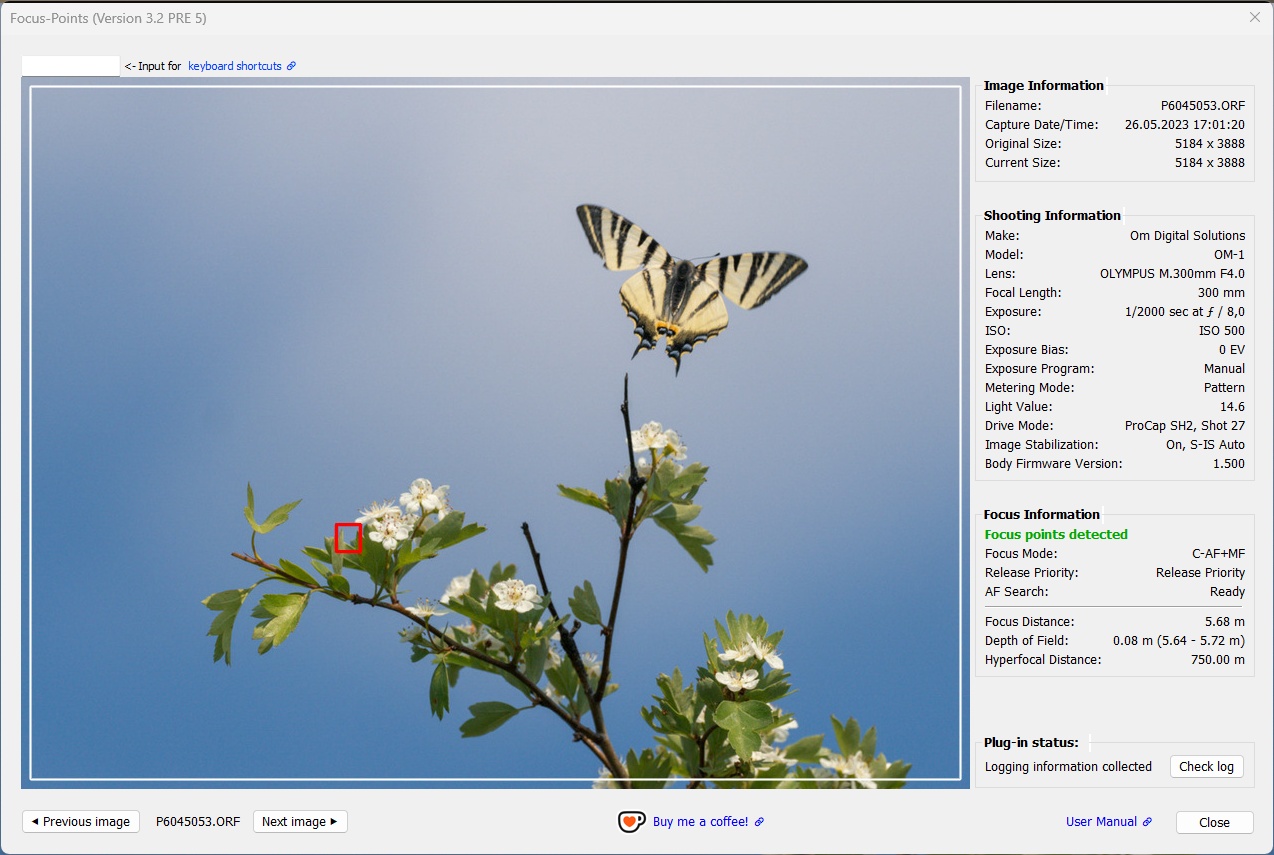
Although focus points have been detected, they may be invisible or partially invisible if they are located outside the cropped image area.
Note: This message is not triggered by face or subject detection frames, only focus points.
Cropped image (focus point outside):
Original image with focus point:
“Camera model not supported”
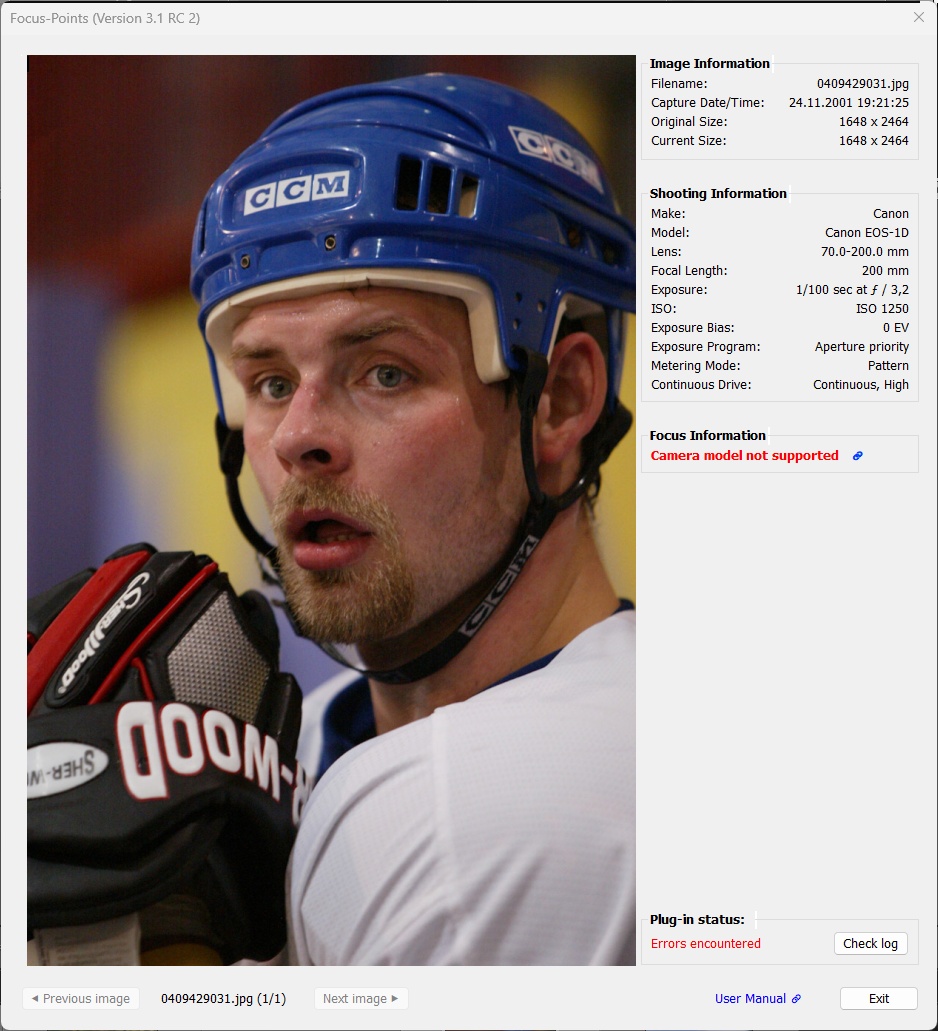
The selected photo was taken by a camera that the plugin cannot handle.
This message may be displayed for older camera models that do not use the same structures to store AF-related information as their successor models. It can also be displayed for newer models where the AF related information has not yet been decoded by ExifTool.
Example for the original Canon 1D from 2001:
“Camera maker not supported”
The selected photo was taken with a camera from a manufacturer that the plugin cannot handle.
While it is not difficult to add at least basic support for a camera brand, this requires that the relevant AF metadata be available. This means they have to be “known” by exifool, which is not the case for Leica, Hasselblad, Sigma, Samsung phones and others.
“No camera-specific metadata found”
The selected photo does not include information about the camera used. The make and model of the camera are both unknown, as is usually the case when an image file is exported from Lightroom (or any other program) without metadata.
Clearly, the plugin is unable to perform any actions on this photo other than display it.
“Severe error encountered”
This message is displayed when something serious and unexpected happens during the process of reading focus information from the metadata, processing it, and displaying the visualization elements.
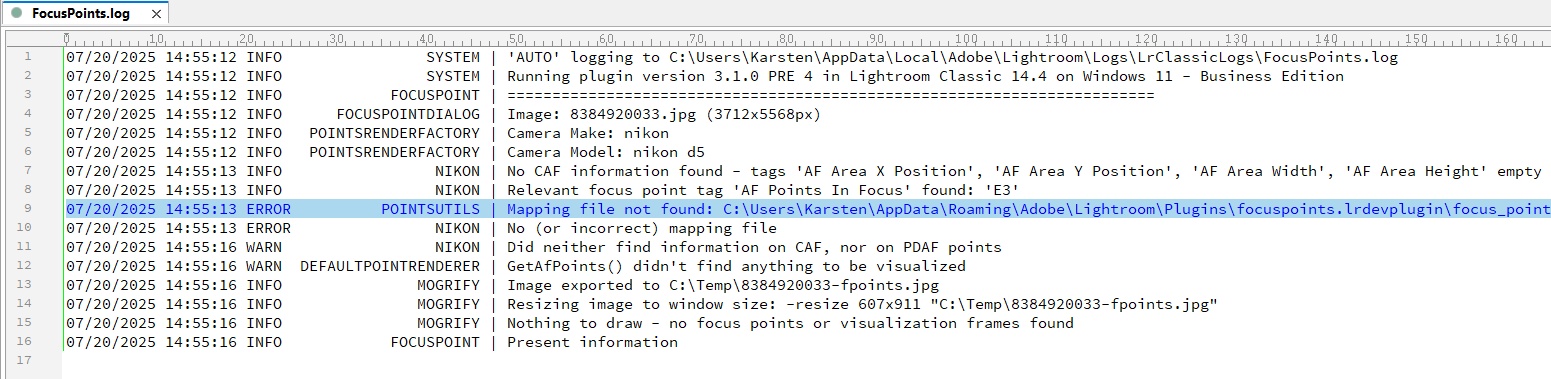
This can be anything from installation problems, unexpected metadata, or simply that the programmer did not handle a particular situation properly in the plugin code. The log file may give some indication of what the problem is, but usually it is not something a user can fix.
If you encounter this problem and cannot fix it yourself, please go to the plugin home page on Github, sign up for a free account if you don’t already have one, and create a new issue that describes the problem. This way you can help make the plugin better and more reliable!
Example error:
The log file reveals what the problem is (artificially induced to provoke this error message ;)
General
Plugin window exceeds screen dimensions
to be added